One of the great features in vCloud Director is client’s capability to customize general specifications of a VM. Specifications like Hostname and more importantly IP address(es). Customer can even have some scripts for more advanced customizations like joining to a domain, … All these depend on ‘Guest OS Customization’ feature that should be enabled on a VM. Not all the operating systems support ‘Guest OS Customization’. For a list of supported OS’s in vCD 5.x see these links:
– Supported guest operating systems in vCloud Director 5.5
– Supported guest operating systems in vCloud Director 5.1
As you can see, there is no support for Debian Linux! What a pity! If you deploy a Debian and want to change its IP through VM Properties in vCD portal, it will give you an error:
“Guest customization is not supported by the selected OS. Please disable guest customization to proceed.”
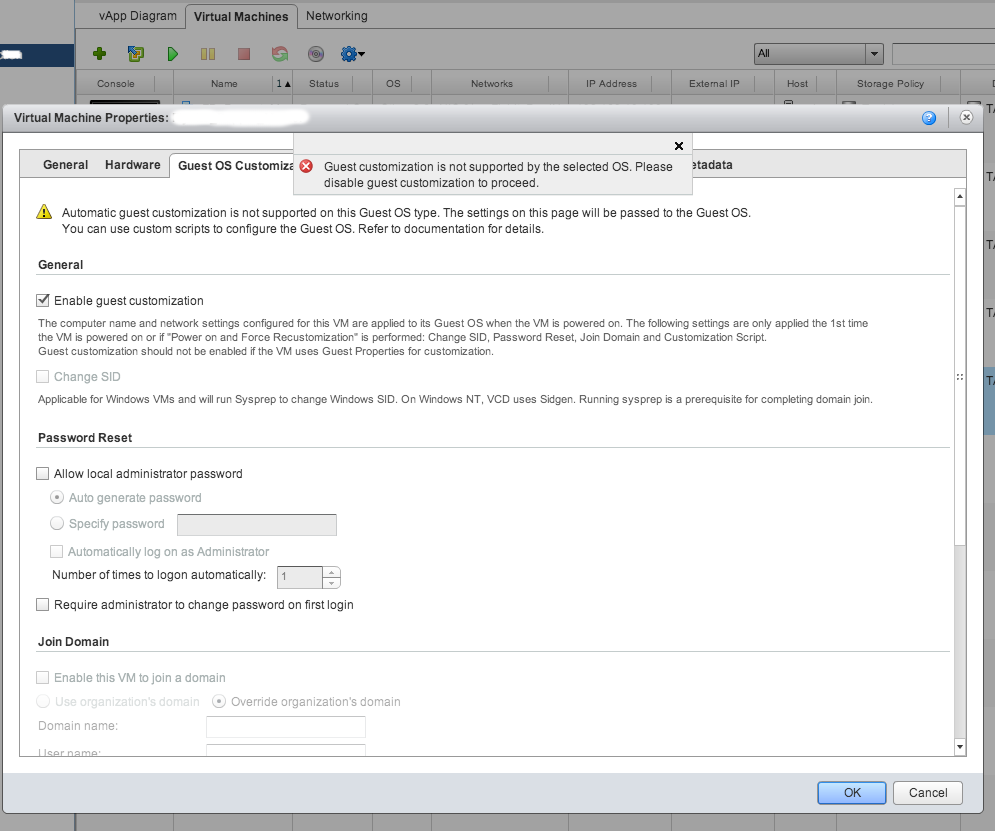
Debian is a great OS and many clients may get disappointed! But fortunately, there is a simple work-around for it: change the Operating System type to: Other Linux and Guest Customization will be fine! Of course, try to choose the closest kernel version, for example choose ‘Other 2.6.x Linux (64-bit)’ for a Debian wheezy with kernel 3.2.0-amd64.
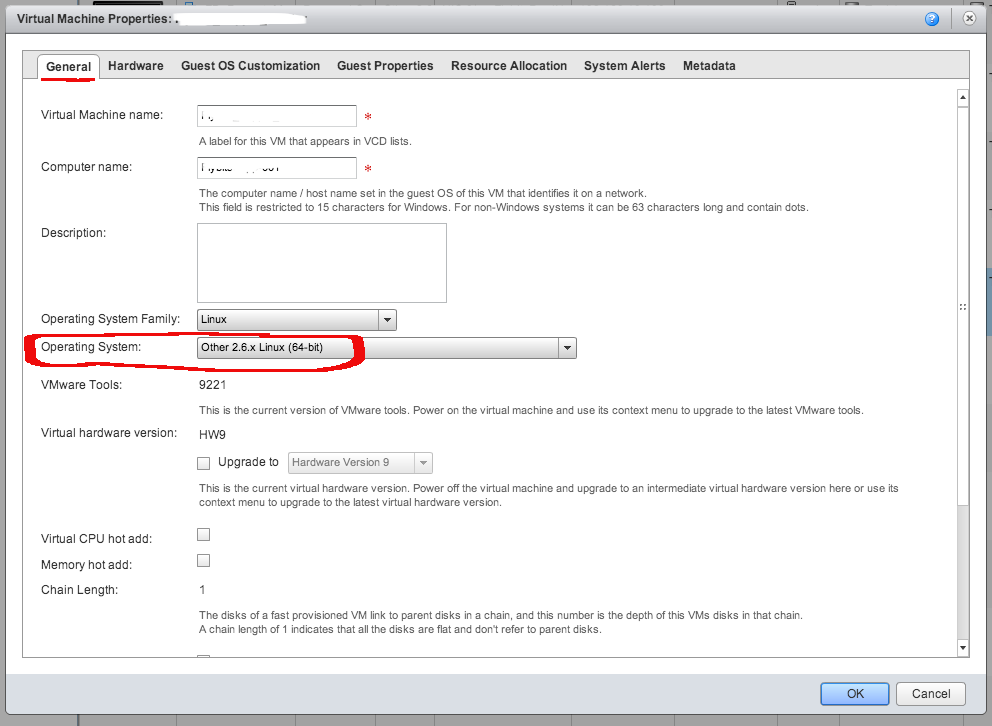
By this change, modifying Hostname or assigning IP addresses, Gateway, DNS to Debian NICs would be possible like any other supported OS.
 Net Tweets
Is this still working?
I tried Debian 8.5 with vCloud 5.5.5 and ESXi 5.5 U3 without success 😦